Statable GDPR Checker
Official browser extension for Chrome, Edge, and Firefox that audits what a website loads before any consent is given. Open the panel on a page, reload it, and the checker reports which third-party trackers fired, which cookies were stored, and which companies received the visitor's IP address and page URL, all before the cookie banner was answered. It opens in the side panel on Chrome and Edge, and in the sidebar on Firefox.
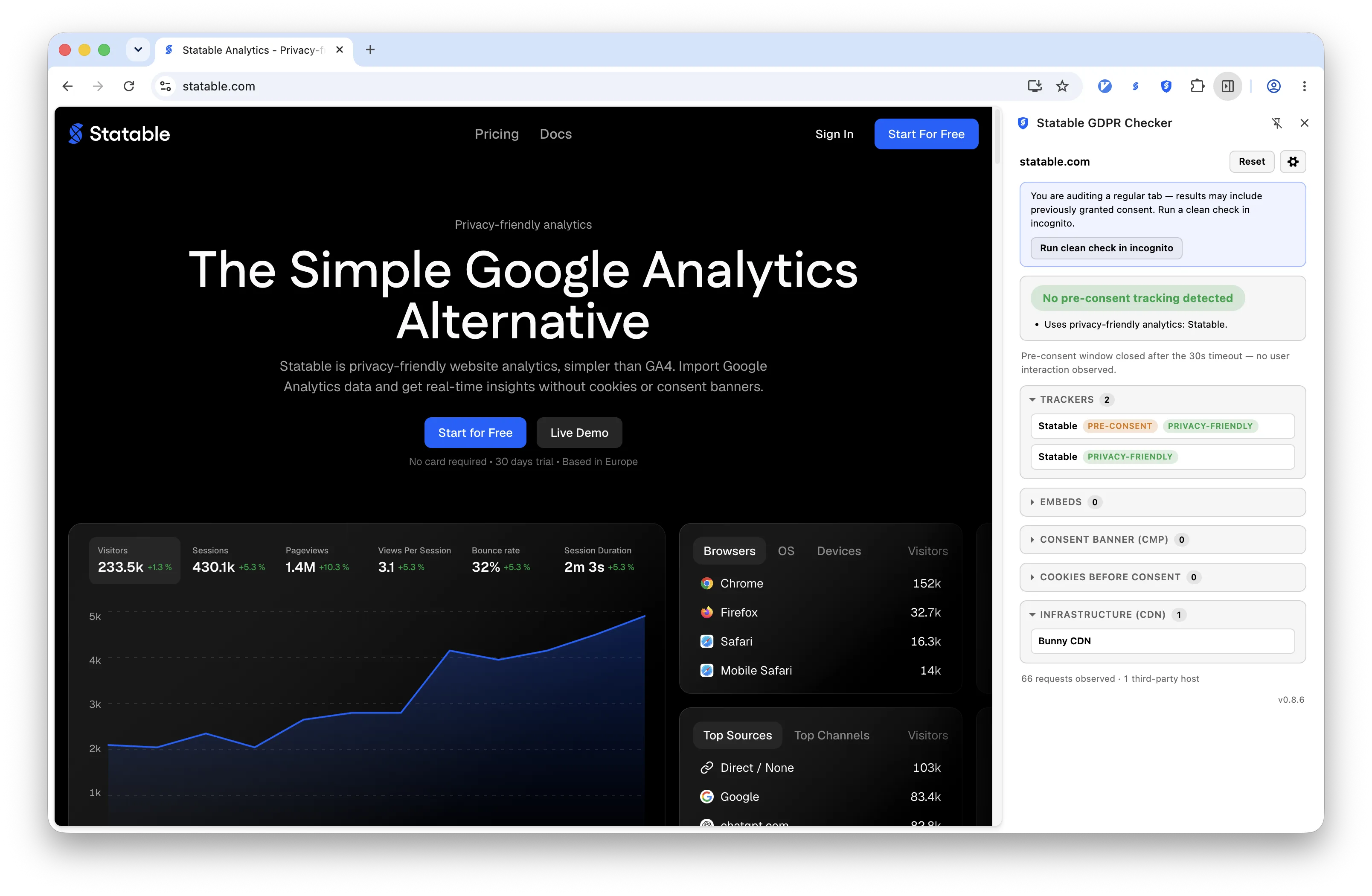
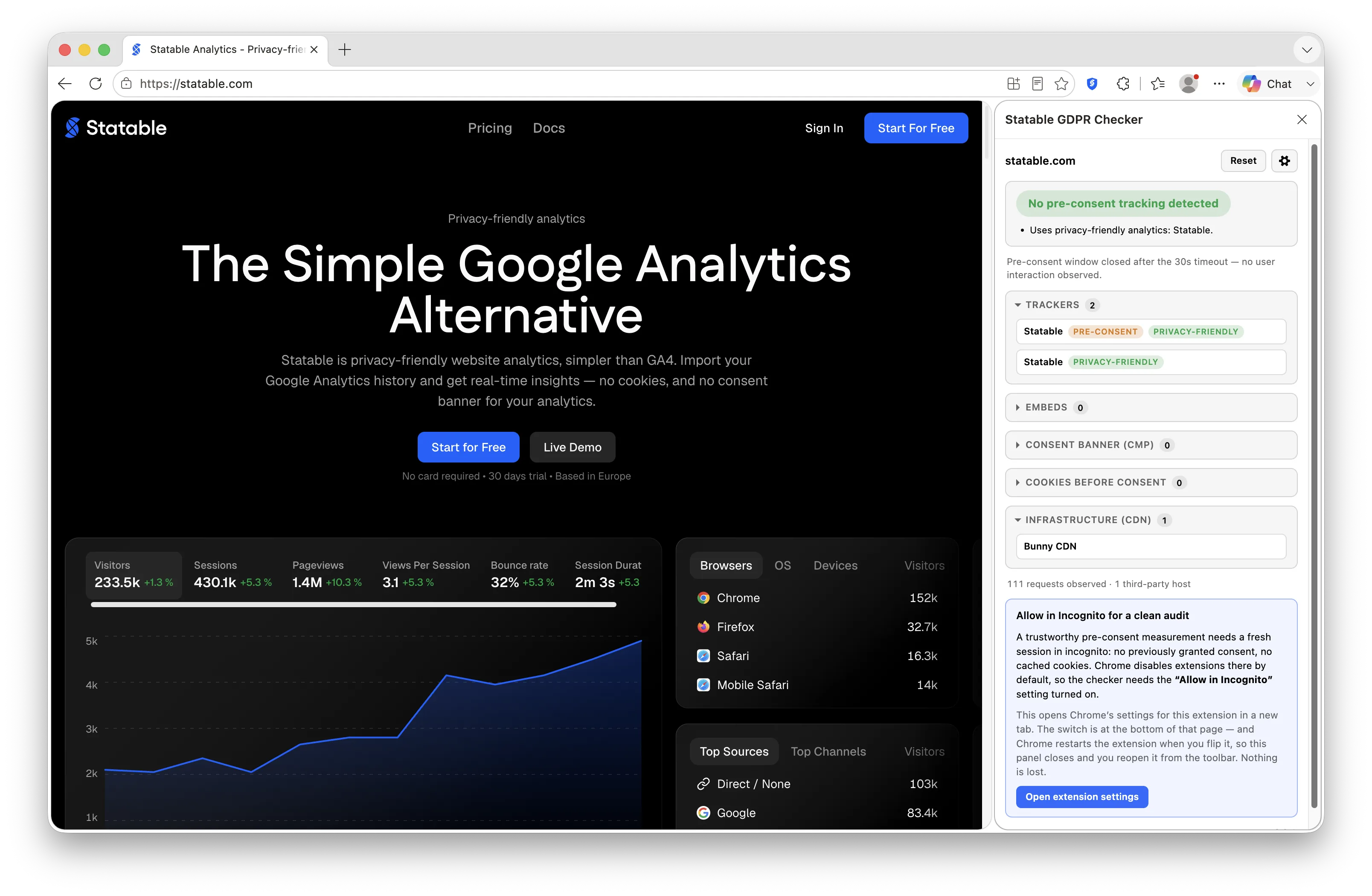
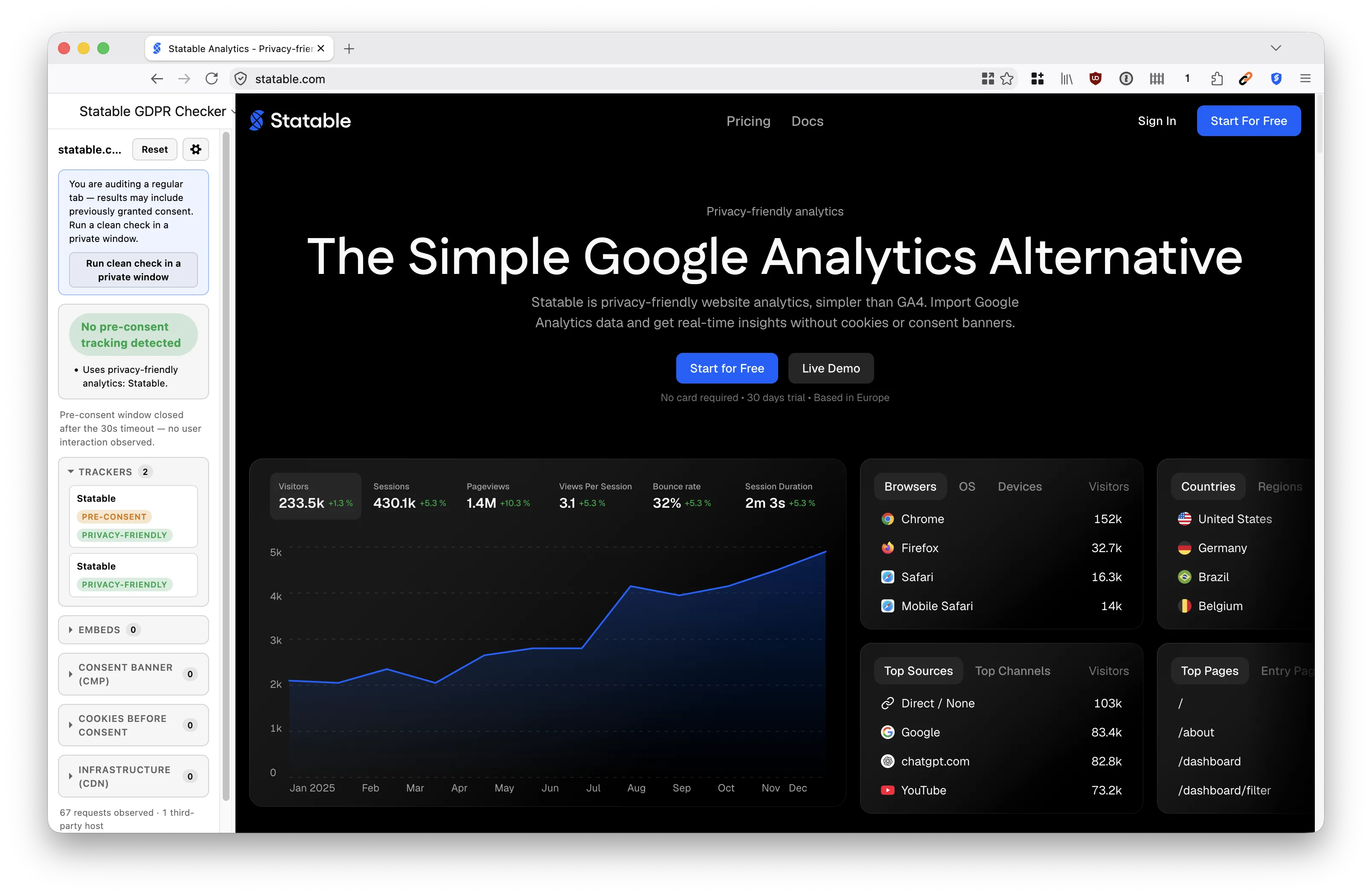
Built for anyone responsible for a site's compliance posture: to check your own pages before an audit, and to see what a vendor's tag actually does rather than what its documentation claims.
Measurement, not legal advice
The extension states facts and never draws legal conclusions. It will tell you that a tracker sent data before any interaction; it will not tell you whether that breaks the law, which depends on your lawful basis, your jurisdiction and your consent design. Every red and amber verdict carries this disclaimer beside it:
Automated technical measurement, not legal advice. "Before consent" means before any user interaction with the page.
Install
Install from the Chrome Web Store, Edge Add-ons, or Firefox Add-ons. Chrome 116 or newer, Edge 116 or newer, Firefox 140 or newer. Other Chromium browsers can use the Chrome build.
Once installed, pin the extension and click its icon to open the panel.
Allow private browsing
The first thing the panel asks for is access to private windows, and the reason is worth understanding.
A pre-consent measurement is only trustworthy on a profile that carries no history: no consent granted on a previous visit, no cookies already stored. A regular tab usually has both, so the same page can look clean simply because you agreed to something last week. Browsers withhold that access from extensions by default, so the switch has to be turned on deliberately.
The panel offers a button that opens the right place for your browser. On Chrome it is the extension's own settings page under chrome://extensions, where the Allow in Incognito switch sits at the bottom. On Edge it is the same page at edge://extensions, where the switch is called Allow in InPrivate. On Firefox it is the add-ons manager at about:addons, where you open Statable GDPR Checker, go to Details, and set Run in Private Windows to Allow. Any of the three restarts the extension when you flip the switch, so the panel closes and you reopen it from the toolbar. Nothing is lost.
If you audit a regular tab anyway, the panel says so and offers to rerun the same URL as a clean check in a private window.
The pre-consent window
Everything the verdict rests on is observed inside a window with a precise definition:
- It opens when the page begins navigating.
- It closes at the first user interaction with the page, meaning a pointer press, a key press or a touch, or after 30 seconds, whichever comes first.
That is what "before consent" means here, and it is deliberately mechanical. The extension does not try to detect whether a banner was shown, or whether a click on it meant acceptance. It measures what happened before the visitor did anything at all, which is the state a regulator or an auditor would look at.
The consequence worth knowing: if you click somewhere on the page while it is still loading, you close the window early and the measurement covers less than it should. Let the page settle.
Reading the verdict
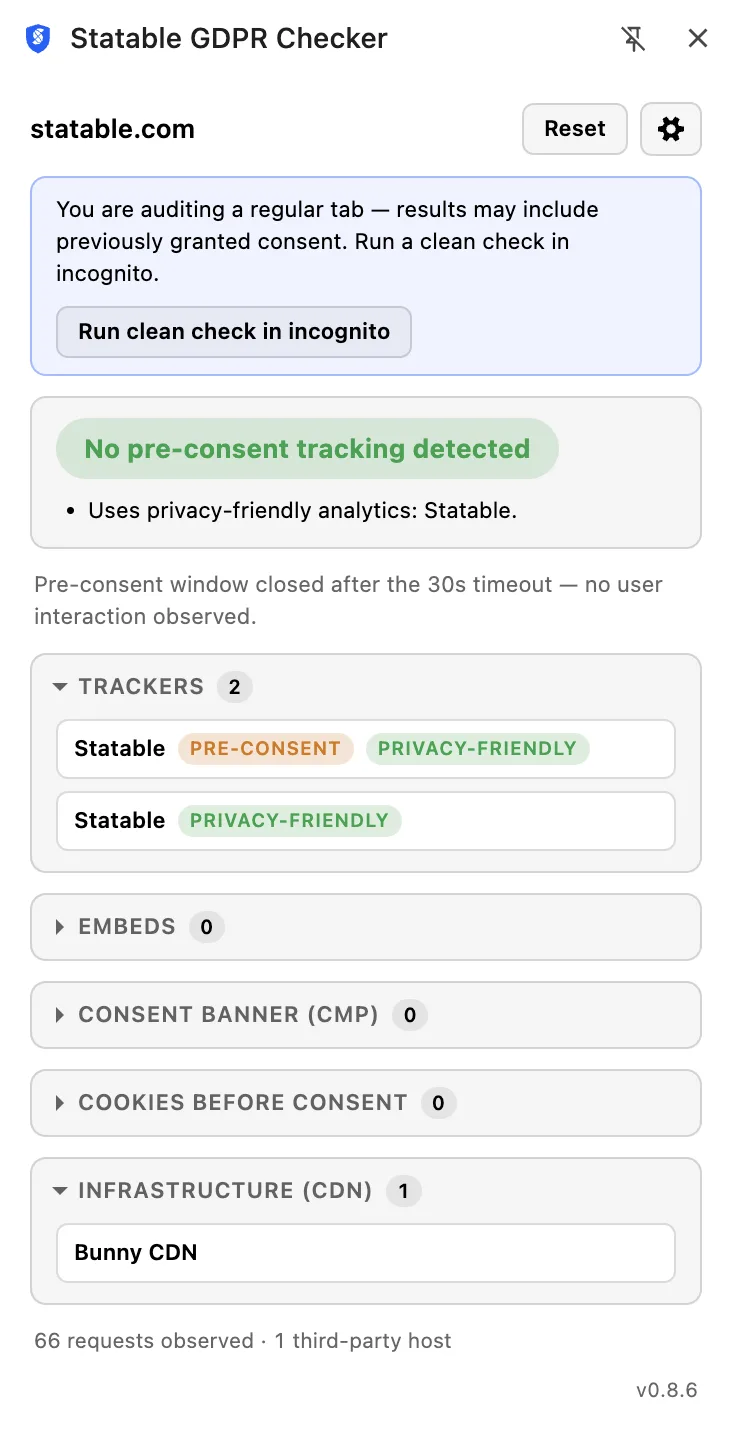
The panel shows one of four results, with the reasons listed beneath it.
| Verdict | Shown as | What it means |
|---|---|---|
| Red | Tracking before consent | A real tracker fired inside the window. Data left the browser for a third party before the visitor did anything |
| Amber | Needs attention | Something less clear-cut. Consent Mode v2 cookieless pings, an embed that transferred the visitor's IP address, or tracking code present in the page without a network request yet |
| Green | No pre-consent tracking detected | Nothing in the above categories was observed |
| Unknown | Not enough data | The window closed without enough happening to judge, usually because the page was interacted with immediately |
Amber deserves the most thought. An embedded font, map or video is not a tracker in the ordinary sense, but loading it hands the visitor's IP address and the page URL to whoever serves it, and that transfer happens whether or not anyone consented. Whether it matters is your call; the extension's job is to make sure you know it happened.
Green is not a certificate. It means nothing was detected in that window on that page, and a different page, or the same page after a deploy, can differ.
How detection works
Detections come from a hand-curated signature file, kept as readable YAML in the extension's source rather than compiled into it. Two things follow from that choice.
The methodology is inspectable: you can read exactly which host, cookie or script pattern produced a given finding, and disagree with it if you think it is wrong. And the signatures are original work rather than a copied dataset, which is why the extension can be given away without the licence conditions that non-commercial tracker lists carry.
Privacy
The extension is built the way the rest of Statable is, and the claims are checkable in its source:
- Everything happens locally. The extension makes no network requests of its own, and nothing it observes leaves the device.
- Nothing is stored. No account, no history, and extension storage is never called. Close the panel and the captured state for that tab is gone.
- Permissions are the minimum the job needs: the panel, web requests and navigation, cookies, and tab information, on
httpandhttpspages. - The Firefox build declares no data collection to Mozilla, because nothing it reads is ever transmitted off your device.
The full statement is on the extension privacy policy.
Limits
- Browser pages cannot be measured. On
chrome://andabout:addresses the panel says so, because no extension is allowed to read them. - One page at a time. The checker audits the tab in front of you; it does not crawl a site or produce a report across pages.
- A verdict describes one load. Dynamic tags, consent platforms that behave differently by region, and A/B tests all mean the next load can differ from this one.
Ready to take control of your web analytics? Try Statable free for 30 days. No credit card required, full feature access, built for GDPR. Start your free trial or view a live demo.